

Buy Microsoft Windows Operating System Licenses Keys – 100% Genuine
Nothing is more important than your data, even if it’s not important but nobody wants to share it with anyone. Privacy is our first priority specially in the digital world where there is a constant threat of data stealing or leakage, specially for business or organisations.
To fix this security problem Microsoft introduced Windows Operating System (OS) to provide an extreme level of security to prevent data from being stolen. Microsoft provides license keys for all windows versions (7, 8 / 8.1, 10, 11) that are saved in the Microsoft database and when users activate their windows, Microsoft starts securing user data. This key is based on 25 characters in which the alphabets and numbers are included.
By activating your windows using the original MS windows key, you are allowed to update your latest windows version, improve security standards, advanced features, and full access to the Microsoft windows store online. In case of any problem you can get support through windows action center.
MS Windows Variations You Should Know.
As we discuss above how Microsoft introduced itself and what solution it is providing, now let;s understand about windows, how it’s helpful for individuals or businesses, and the variants of windows. Before starting it i want to inform you that we are providing 100% original window product key at a very affordable price. You can visit our shop.
What is Windows?
Windows is an operating system produced by Microsoft. It is the main software that runs in a computer. It helps users to manage their files, running programs or play games, connecting other devices like printer, internet or camera, etc. Without any operating system the computer is useless or it won’t work properly.
How It’s Helpful For Individuals (Home Users):
- Simple interface, easy to use.
- Allows you to surf the internet, play games, and use applications.
- Protects your personal information with built-in security features.
- Works with thousands of software and hardware devices.
How It’s Helpful For Businesses:
- Offers team collaboration, file sharing, and communication tools.
- Supports professional software such as MS Office, Power BI, and Project.
- Powerful security capabilities to safeguard company data.
- Can be easily controlled on a large number of computers in offices.
Windows Variants:
Before understanding windows variants, you should know about windows versions. There are four types of windows versions available in the market.
- Windows 7 (Outdated Version)
- Windows 8/8.1 (Old Version, MS official chat support closed)
- Windows 10 (Previous Version)
- Windows 11 (Latest version available)
- Windows – 12 (Coming Soon)
Also, Windows comes in editions like:
- Home: Windows Home is made for families and personal users. You get all the primary features that are necessary for everyday tasks like browsing the internet, watching movies, playing games, or using apps. It is easy to use, user friendly, and secure, which makes it ideal for students or anybody who wants an easy computer experience without extra business tools.
- Pro: Windows Pro specially designed for professionals and small businesses. It has all the features available in the Home version and some more advanced features. For example, Remote Desktop, by which you can access your PC from anywhere, and BitLocker, which protects your data with encryption. It also provides more control over settings through Group Policy. These features make a strong choice for freelancers, IT workers, and small companies that want more than just basic features.
- Enterprise: It’s built for large organisations and companies to provide advanced security and management. It includes all Windows Pro features with some extra powerful tools like device management, advanced data protection, and virtualisation. Enterprise edition allows businesses to manage thousands of computers safely and efficiently, making it ideal for big companies that cannot take risks with their data and systems.
- Education: This edition is very similar to Windows Enterprise but is specifically designed for schools, colleges, and students. It provides access to advanced features available in enterprise edition but at a lower cost. It’s essential for students and teachers to use modern technology for learning, collaboration, and research without paying the full business price.
OEM vs Retail Licenses – What’s Best for You?
Home and Pro Version have two types .
- OEM: OEMs are bound to the first computer on which they are installed and cannot be moved to another PC. The PC manufacturer (Dell, HP, Lenovo) provides support for the OEM Windows not Microsoft.
- Retail: It is transferable, it means after deactivating from one PC, it can be reactivated into another PC ( but only used in one PC at a time). It’s a bit more costly than OEM, because official support and warranty is directly provided by Microsoft.
Why Buy a Digital Windows Product Key from Pro Hub?
There are several reasons to buy a digital windows product key from us, but we discuss the major reasons that are given below.
- Authenticity & Trust: We don’t provide fake windows activation key, pirated license keys. We only deliver genuine registration keys to keep your data secure.
- Fast Digital Delivery: You’ll receive your order on your email within a few minutes, and you’ll be able to activate it on your windows PC.
- Pricing & Support: At PRO HUB, you get the lowest price than other resellers available in the market. You also get local language chat support which is more beneficial while communicating. We also provide special discounts for our repeating or loyal customers.
- Long-Term Value: Genuine licenses provide windows update timely, protect from malware attacks and ensure to provide high level of security, and also allow you to access Microsoft ecosystem.
What is a Windows license key and why do I need it?
A Windows license key is a 25-character code provided by Microsoft to activate and verify your copy of Windows. It ensures that your operating system is genuine and not pirated. Once activated, you get access to regular updates, improved security, advanced features, and full support from Microsoft.
What is the difference between OEM and Retail Windows keys?
OEM keys are cheaper but tied to the first computer where they are installed. They cannot be transferred to another PC, and support is provided by the PC manufacturer (like Dell or HP). Retail keys are transferable to another computer (one at a time) and include official support and warranty directly from Microsoft, which makes them slightly more expensive.
Why should I buy Windows license keys from ProHub.pk?
ProHub.pk guarantees 100% genuine and authentic keys, not pirated or fake codes. You’ll receive fast digital delivery via email within minutes, plus professional local-language support for any issues. Our prices are lower compared to other resellers, and loyal customers enjoy special discounts.
How to check the Windows version?
To check your Windows version, press Windows Key + R, type winver, and press Enter. A small window will appear showing the version and edition of your Windows.
How to turn off Windows Defender?
Go to Start → Settings → Update & Security → Windows Security → Virus & threat protection. From there, open Manage settings and switch off Real-time protection. This will temporarily disable Windows Defender.
How to activate Windows?
Click on Start → Settings → Update & Security → Activation. Enter your 25-character product key and click Activate. Once verified, your Windows will be fully activated and genuine.
How to install Windows?
To install Windows, create a bootable USB/DVD with the Windows setup. Restart your computer, boot from the USB/DVD, and follow the on-screen instructions. Select your language, partition, and then the installation will begin. After setup, enter your product key to activate Windows.
How to take a screenshot on Windows?
Press PrtScn (Print Screen) to capture the full screen, or Alt + PrtScn to capture the active window. For advanced options, press Windows Key + Shift + S to use the Snipping Tool/Snipping Bar, where you can select and save any part of the screen.

Microsoft Windows 10 Home OEM License Key – Pro Hub
₨4,199.00Current price is: ₨4,199.00. Original price was: ₨7,499.00.
Microsoft Windows 10 Pro OEM Product Key – Pro hub
₨3,599.00Current price is: ₨3,599.00. Original price was: ₨6,499.00.

Microsoft Windows 10/11 Enterprise Retail Key – Pro Hub
Price range: ₨15,599.00 through ₨35,399.00
Microsoft Windows 11 Home OEM License Key – Pro Hub
₨4,199.00Current price is: ₨4,199.00. Original price was: ₨7,499.00.
Microsoft Windows 11 Pro OEM Key 1 PC – Pro Hub
₨3,599.00Current price is: ₨3,599.00. Original price was: ₨6,499.00.

Microsoft Windows 7 Home MAK Key 20 PC
₨19,799.00Current price is: ₨19,799.00. Original price was: ₨56,599.00.
Microsoft Windows 7 Home OEM Key
₨4,199.00Current price is: ₨4,199.00. Original price was: ₨7,499.00.
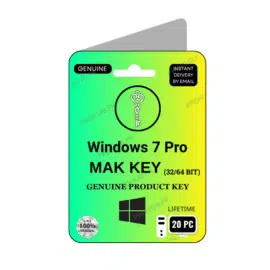
Microsoft Windows 7 Pro MAK Key 20 PC
₨19,799.00Current price is: ₨19,799.00. Original price was: ₨56,599.00.
Microsoft Windows 7 Pro OEM Key 1 PC
₨3,599.00Current price is: ₨3,599.00. Original price was: ₨6,499.00.

Microsoft Windows 7 Pro Ultimate Retail Key 1 PC
₨4,549.00Current price is: ₨4,549.00. Original price was: ₨8,499.00.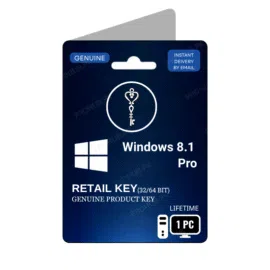

- 1
- 2
Buy Microsoft Windows Operating System Licenses Keys – 100% Genuine
Nothing is more important than your data, even if it’s not important but nobody wants to share it with anyone. Privacy is our first priority specially in the digital world where there is a constant threat of data stealing or leakage, specially for business or organisations.
To fix this security problem Microsoft introduced Windows Operating System (OS) to provide an extreme level of security to prevent data from being stolen. Microsoft provides license keys for all windows versions (7, 8 / 8.1, 10, 11) that are saved in the Microsoft database and when users activate their windows, Microsoft starts securing user data. This key is based on 25 characters in which the alphabets and numbers are included.
By activating your windows using the original MS windows key, you are allowed to update your latest windows version, improve security standards, advanced features, and full access to the Microsoft windows store online. In case of any problem you can get support through windows action center.
MS Windows Variations You Should Know.
As we discuss above how Microsoft introduced itself and what solution it is providing, now let;s understand about windows, how it’s helpful for individuals or businesses, and the variants of windows. Before starting it i want to inform you that we are providing 100% original window product key at a very affordable price. You can visit our shop.
What is Windows?
Windows is an operating system produced by Microsoft. It is the main software that runs in a computer. It helps users to manage their files, running programs or play games, connecting other devices like printer, internet or camera, etc. Without any operating system the computer is useless or it won’t work properly.
How It’s Helpful For Individuals (Home Users):
- Simple interface, easy to use.
- Allows you to surf the internet, play games, and use applications.
- Protects your personal information with built-in security features.
- Works with thousands of software and hardware devices.
How It’s Helpful For Businesses:
- Offers team collaboration, file sharing, and communication tools.
- Supports professional software such as MS Office, Power BI, and Project.
- Powerful security capabilities to safeguard company data.
- Can be easily controlled on a large number of computers in offices.
Windows Variants:
Before understanding windows variants, you should know about windows versions. There are four types of windows versions available in the market.
- Windows 7 (Outdated Version)
- Windows 8/8.1 (Old Version, MS official chat support closed)
- Windows 10 (Previous Version)
- Windows 11 (Latest version available)
- Windows – 12 (Coming Soon)
Also, Windows comes in editions like:
- Home: Windows Home is made for families and personal users. You get all the primary features that are necessary for everyday tasks like browsing the internet, watching movies, playing games, or using apps. It is easy to use, user friendly, and secure, which makes it ideal for students or anybody who wants an easy computer experience without extra business tools.
- Pro: Windows Pro specially designed for professionals and small businesses. It has all the features available in the Home version and some more advanced features. For example, Remote Desktop, by which you can access your PC from anywhere, and BitLocker, which protects your data with encryption. It also provides more control over settings through Group Policy. These features make a strong choice for freelancers, IT workers, and small companies that want more than just basic features.
- Enterprise: It’s built for large organisations and companies to provide advanced security and management. It includes all Windows Pro features with some extra powerful tools like device management, advanced data protection, and virtualisation. Enterprise edition allows businesses to manage thousands of computers safely and efficiently, making it ideal for big companies that cannot take risks with their data and systems.
- Education: This edition is very similar to Windows Enterprise but is specifically designed for schools, colleges, and students. It provides access to advanced features available in enterprise edition but at a lower cost. It’s essential for students and teachers to use modern technology for learning, collaboration, and research without paying the full business price.
OEM vs Retail Licenses – What’s Best for You?
Home and Pro Version have two types .
- OEM: OEMs are bound to the first computer on which they are installed and cannot be moved to another PC. The PC manufacturer (Dell, HP, Lenovo) provides support for the OEM Windows not Microsoft.
- Retail: It is transferable, it means after deactivating from one PC, it can be reactivated into another PC ( but only used in one PC at a time). It’s a bit more costly than OEM, because official support and warranty is directly provided by Microsoft.
Why Buy a Digital Windows Product Key from Pro Hub?
There are several reasons to buy a digital windows product key from us, but we discuss the major reasons that are given below.
- Authenticity & Trust: We don’t provide fake windows activation key, pirated license keys. We only deliver genuine registration keys to keep your data secure.
- Fast Digital Delivery: You’ll receive your order on your email within a few minutes, and you’ll be able to activate it on your windows PC.
- Pricing & Support: At PRO HUB, you get the lowest price than other resellers available in the market. You also get local language chat support which is more beneficial while communicating. We also provide special discounts for our repeating or loyal customers.
- Long-Term Value: Genuine licenses provide windows update timely, protect from malware attacks and ensure to provide high level of security, and also allow you to access Microsoft ecosystem.
What is a Windows license key and why do I need it?
A Windows license key is a 25-character code provided by Microsoft to activate and verify your copy of Windows. It ensures that your operating system is genuine and not pirated. Once activated, you get access to regular updates, improved security, advanced features, and full support from Microsoft.
What is the difference between OEM and Retail Windows keys?
OEM keys are cheaper but tied to the first computer where they are installed. They cannot be transferred to another PC, and support is provided by the PC manufacturer (like Dell or HP). Retail keys are transferable to another computer (one at a time) and include official support and warranty directly from Microsoft, which makes them slightly more expensive.
Why should I buy Windows license keys from ProHub.pk?
ProHub.pk guarantees 100% genuine and authentic keys, not pirated or fake codes. You’ll receive fast digital delivery via email within minutes, plus professional local-language support for any issues. Our prices are lower compared to other resellers, and loyal customers enjoy special discounts.
How to check the Windows version?
To check your Windows version, press Windows Key + R, type winver, and press Enter. A small window will appear showing the version and edition of your Windows.
How to turn off Windows Defender?
Go to Start → Settings → Update & Security → Windows Security → Virus & threat protection. From there, open Manage settings and switch off Real-time protection. This will temporarily disable Windows Defender.
How to activate Windows?
Click on Start → Settings → Update & Security → Activation. Enter your 25-character product key and click Activate. Once verified, your Windows will be fully activated and genuine.
How to install Windows?
To install Windows, create a bootable USB/DVD with the Windows setup. Restart your computer, boot from the USB/DVD, and follow the on-screen instructions. Select your language, partition, and then the installation will begin. After setup, enter your product key to activate Windows.
How to take a screenshot on Windows?
Press PrtScn (Print Screen) to capture the full screen, or Alt + PrtScn to capture the active window. For advanced options, press Windows Key + Shift + S to use the Snipping Tool/Snipping Bar, where you can select and save any part of the screen.